It’s hard to remember that before 1995, no one had ever heard of Amazon.com, which was about to burst on the scene as an online bookstore. According to plan, it didn’t make a profit for five years. A decade later, by selling much more than merely books, it reported revenues of $8.5 billion. The numbers continued to climb. Few would argue that Amazon has become a phenomenon on the World Wide Web. That’s the very big picture. For the avid reader and buyer of gadgets, it’s like being in a candy store. For an author, even a self-published author, it’s a marketing bonanza, if you know how to take advantage of Amazon’s many offerings—authors’ pages, blogs, reviews, list of books we’ve written and bought, wish lists, and things I haven’t discovered yet. And did I mention Kindle?
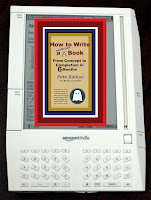
Kindle is Amazon's wireless eBOOK reader, which makes available more than 350,000 books, newspapers, magazines, and blogs. (There are others on the market making a bid to “burn the bookstore down,” in the words of GIZMODO, the gadget blog.) A quick search unearthed digital devices from Sony, Irex, Iliad, Bbook, and Cybook. As a reader, you can download books on Kindle at $9.99 apiece and carry a virtual library around with you in your briefcase.
There had been other forays into the world of digital books years ago. They failed due incompatible hardware and digital platforms and competition that did itself in, but this time it looks like the whole eBOOK industry might just take hold.
That’s good news for readers who can afford the price tag. The least expensive Kindle is $300, and they go up from there. It’s good news for authors, too, since we can digitize our books and sell them in the Kindle store. I was thrilled at that news and immediately attempted to upload my book—attempted and failed. The complexities astounded me. Nothing worked. No format I might have devised could be converted into the format Amazon had invented. No desperate e-mails I sent elicited responses I could figure out or implement. In the interest of full disclosure, I must admit that I never understand any instructions I receive from Amazon. Never.
After much frustration, I did what any sane person would do. I called the only person I know who seems to understand Amazon: Bob Baker, author of 55 Ways to Promote & Sell Your Book on the Internet. He’s also a musician, marketer, and Amazon guru. I nagged. I cajoled. I begged. He finally agreed to help me. I will skip the glitches and give you the gold. Here is how to publish your book on Kindle:
1. First of all, whatever format your book is in, you should ideally convert it to text only and dump the content into a Microsoft Word file. With eBooks, you have to let go of your need to control fonts, sizes, pages numbers, images, etc., mainly because readers can adjust the fonts on their electronic readers (such as the Kindle). So the text flows based on the user's preferences, not yours.
2. Next, go through the file and take out most of the formatting except for very basic attributes like bold, italic, and some larger font sizes for chapter titles and subheads. Be sure to save regularly. (Note: If your book is beautifully designed, this may be hard. But bite the bullet and do it anyway.)
3. Images within Kindle eBooks are tricky. Since the book's cover is on the sales page, it really doesn’t need to be in the eBOOK, itself. But if you want it, you should be able to copy and paste it back into the file. This is true of any other graphics in the original book. (Bob only had text files uploaded to Kindle; I did a lot of cutting and pasting. For some reason, my multicolor cover showed up in black and white; but I was so relieved to finally get it there, I left it alone.)
4. Once you have the formatting to your liking, save your Word file as an HTML web page.
5. Next, go to https://dtp.amazon.com/mn/signin.
6. Log in with your usual email and password, or start an account if you don’t have one yet.
7. Enter your book title, and click the little + sign next to it. Add a description, select genre categories and keywords, and upload a cover image of your book.
8. Then click the + sign next to Upload & Preview Book.
9. Click the Browse button, find your newly converted HTML file, and Upload it.
10. When you've done that and it finishes processing, click the Preview button.
11. To enter or change the price, click the + sign next to Enter Price.
12. Click Save Entries.
13. Click Publish up toward the right to activate the new version and price.
That’s all there is to it. Hard to believe, but true. Just follow the bullet points, and you, too can be a Kindle author. Be sure to preview it online and on a real Kindle, if possible. It’s the surprises that will drive you to distraction.
Thank you, Bob!




 Posts


